

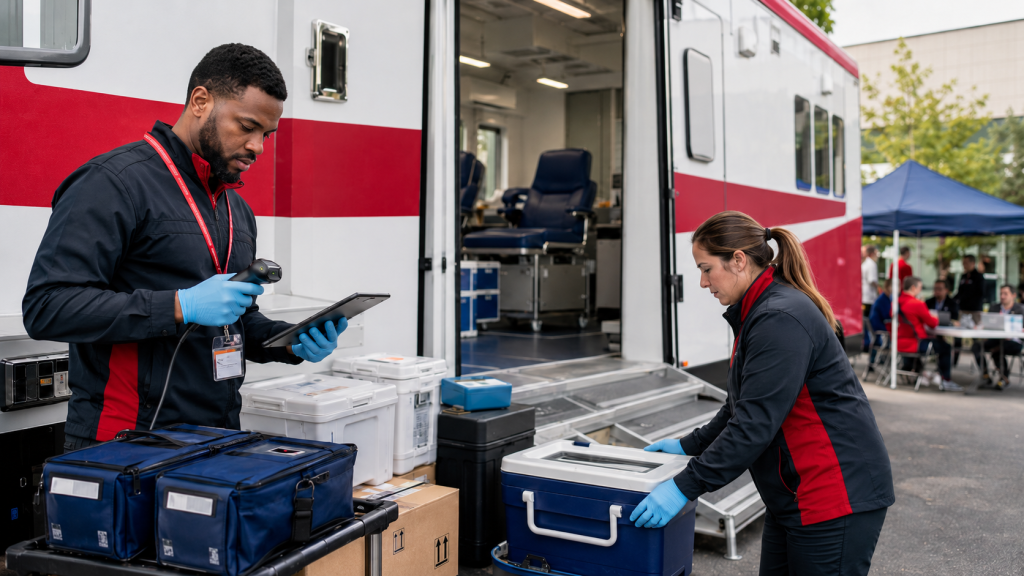
Mobile blood drives are essential for making blood donation more accessible to communities. However, behind every successful drive is a complex logistical process involving supplies, equipment, transportation units, staff, and inventory.
For many blood centers, managing this process is still highly manual and inefficient.
Before each drive, staff must determine which supplies and devices are needed, prepare handwritten packing lists, load transportation units, and document what is being sent. Once the drive is complete, the team must determine what was used, what remains, what was returned, and whether anything is missing or damaged.
When this information is recorded on paper forms or disconnected spreadsheets, it can be difficult to answer even basic questions:
- What exactly was sent to the mobile drive?
- Did the field team receive everything that was packed?
- How much inventory was used?
- What supplies and devices came back?
- Are any items missing, damaged, or still assigned to an active drive?
- Is there a complete record of who completed each step?
Without a centralized system, blood centers may experience inventory discrepancies, limited visibility, unnecessary manual work, and difficulty tracing supplies and equipment throughout the mobile drive process.
A Mobile Drive Workflow Built for Blood Centers
Lab Symplified’s Mobile Drive functionality was designed specifically to help blood centers manage the complete movement of supplies and devices associated with mobile blood drives.
Instead of relying on handwritten forms and manual reconciliation, blood centers can manage the workflow digitally—from initial planning through final return and closure.
The process includes seven connected stages:
Plan. Pack. Dispatch. Receive. Reconcile. Return. Close.
Each stage creates a clear record of what happened, who completed the action, and where the supplies and equipment are within the process.
Plan and Prepare the Drive
The process begins when an administrator creates the mobile drive.
During this stage, the administrator can organize the drive, select the required supplies and devices, and manage the transportation units that will carry them. The drive remains in a draft status while the team prepares and adjusts the required inventory.
This provides a centralized packing plan instead of requiring staff to create a new handwritten list for every event.
Administrators can review what is being prepared and make changes before the drive is finalized.
Pack Supplies and Devices with Greater Control
Once the requirements have been confirmed, the administrator packs the supplies, equipment, and devices needed for the drive.
The system records what is being sent, creating a digital reference that can later be compared against what the field team receives and returns.
After packing is complete, the drive moves to a packed status, indicating that the supplies and devices are ready to be dispatched and received by the field team.
This creates a clear handoff between the staff preparing the drive and the staff conducting it.
Confirm What Arrived at the Mobile Drive
When the field team receives the shipment, they can confirm what was delivered.
This is an important control point. Instead of assuming that everything packed at the blood center arrived at the mobile location, field staff can verify the actual supplies and devices received.
Any discrepancies, missing items, or other issues can be documented at the time of receipt. This helps identify problems earlier rather than discovering them after the drive has ended.
Once receipt is confirmed, the drive status is updated to received.
Reconcile Inventory at the End of the Drive
At the end of the mobile drive, field staff can document what happened to the inventory.
They can record what was used, what remains, what should be returned, and whether there were any issues that require follow-up.
This digital reconciliation gives the blood center a much clearer comparison between:
- What was originally packed
- What was received at the drive
- What was used during the event
- What remained after the drive
- What is expected to return to the blood center
Once this process is completed, the drive moves to a reconciled status.
Administrators can then review the reconciliation and complete the appropriate return actions.
Return Equipment and Close the Drive
After the supplies and devices return to the blood center, the administrator can confirm the returned items, address discrepancies, and complete the drive.
Closing the drive is more than an administrative step. It ensures that returned devices are properly reflected as available and that the inventory record remains accurate.
Until the drive is closed, it remains visible as an active drive. Once all return actions are completed, the administrator closes the drive, and it moves into the historical record.
This provides a complete history that can be reviewed later without leaving old or completed drives mixed with current activities.
Clear Responsibilities for Administrators and Field Teams
The Mobile Drive workflow separates responsibilities based on each user’s role.
Mobile drive administrators are responsible for setting up the drive, managing transportation units and devices, packing supplies, processing returns, resolving discrepancies, and closing the drive.
Field staff and team leads are responsible for confirming what they received, documenting what was used or left over, identifying what should be returned, and recording relevant notes or issues.
This role-based approach helps create accountability without requiring every user to manage the entire process.
Better Visibility from Departure to Return
The status of each drive provides an immediate picture of where it is in the workflow:
- Draft: The drive is being prepared and can still be edited.
- Packed: Supplies and devices have been packed and are ready for the field team.
- Received: Field staff have confirmed what arrived.
- Reconciled: The team has documented usage, remaining quantities, and return intentions.
- Closed: Return activities have been completed, and the drive has moved into history.
These statuses allow administrators to quickly identify which drives are still being prepared, which are currently active, which require reconciliation, and which are ready to be closed.
Creating a Complete Audit Trail
Every mobile drive involves multiple handoffs between people, locations, and transportation units. When those handoffs are documented manually, records can be incomplete, difficult to locate, or open to interpretation.
A digital workflow creates a traceable history of the drive, including what was packed, what was received, what was used, what was returned, and which users completed each step.
This can help blood centers strengthen operational oversight, investigate discrepancies, maintain more accurate device availability, and prepare documentation more efficiently when records are needed.
Moving Beyond Handwritten Mobile Drive Forms
Mobile blood drives will always require careful preparation and coordination. However, managing them should not depend on handwritten lists, manual comparisons, and disconnected records.
Lab Symplified’s Mobile Drive functionality brings the entire process into one controlled workflow designed around how blood centers operate.
By connecting planning, packing, field receipt, reconciliation, returns, and drive closure, blood centers gain clearer visibility into their supplies and devices throughout the entire journey.
The result is a more organized, traceable, and accountable mobile drive process—from the moment inventory leaves the blood center until the final item is returned and the drive is closed.